1) super decision

超级决策
1.
Computation of intelligent ratings based on ANP in super decision and its application;
基于ANP超级决策软件中的智能评估计算与应用
2.
In the view of application, the paper introduces the ANP super decision software, meanwhile use the software to evaluate the construction plan in hydroelectric power project.
从应用的角度介绍 ANP(网络层次分析法 )应用软件——超级决策软件系统 ,并利用该软件对水利水电项目导流施工方案进行评价 。
3.
This paper studies and gets the ANP converging super matrix by super decision software.
用超级决策软件计算建立了ANP收敛超矩阵,最后通过虚拟企业的示例对供应链界面管理能力进行了评价。
2) super decisions software
超级决策软件
3) supermarket decision-making
超市决策
1.
Algorithm of apriori applied to supermarket decision-making;
Apriori算法在超市决策中的应用
4) Decision-making for overtaking
超车决策
5) super-decision
超优决策
6) bilevel decision-making
双级决策
1.
Effluent charges models on bilevel decision-making;
双级决策的排污收费模型
补充资料:AutoCAD 超级填充用法
在使用超级填充前首先要确认你的ACAD已经安装了快捷工具
1、画好填充内容,做成块,本例的块名是“h1”
1、画好填充内容,做成块,本例的块名是“h1”
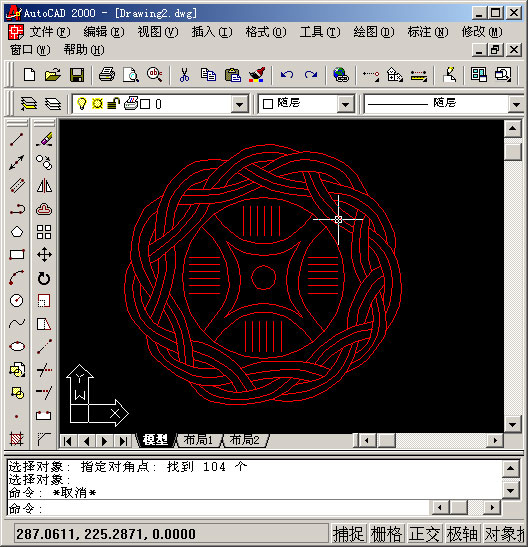
2、用superhatch,并根据实际情况选择填充参数


以下是我的命令行提示,除了比例需要自己输入,其他只要用鼠标点点就行
命令: superhatch
AutoCAD Express Tools Copyright ?1999 Autodesk, Inc.
正在初始化...
H1 指定插入点或 [比例(S)/X/Y/Z/旋转(R)/预览比例(PS)/PX/PY/PZ/预览旋转(PR)]:
输入 X 比例因子,指定对角点,或者 [角点(C)/XYZ] <1>: .1
输入 Y 比例因子或 <使用 X 比例因子>: .1
指定旋转角度 <0>:
命令:
接受该 BLOCK 的位置吗? [是(Y)/否(N)] <是>:
指定矩形的圆角半径 <0.0000>:
指定矩形的线宽 <0.0000>:
指定矩形的厚度 <0.0000>:
在 block 周围选择一个窗口来定义列和行的距离。
当前矩形模式: 宽度=0.8207
指定 block 的第一个角点 [范围(E)] <紫色矩形>:
当前矩形模式: 宽度=0.8207
指定矩形的圆角半径 <0.0000>:
指定矩形的线宽 <0.8207>:
指定矩形的厚度 <0.0000>:
正在选择用于边界检测的可见对象...完成。
说明:补充资料仅用于学习参考,请勿用于其它任何用途。
参考词条